Agentic Adversary Emulation · over MCP

Run Cloud Attacks From Your AI Agent

Test cloud defenses directly from your coding assistant. Turn natural language prompts into safely executed, multi-cloud adversary emulation across AWS, Azure, GCP, and Kubernetes.
Connect in one command
Needs a Mitigant API Key
claude mcp add --transport http mitigant https://mcp.mitigant.io/mcp --header "apiToken: <your-api-key>"
Works with Claude Code today. Cursor, Codex & more coming
Free demo environment · Cloud accounts connected · No setup
aws logo
google cloud platform logo
microsoft azure logo
Kubernetes logo
EU-based · Built in Germany

What You Can Do (Option #1)

Ask in plain language. Your agent picks the cloud attacks, Mitigant runs them, and you see what happened.
White checkmark inside a green circle indicating confirmation or success.
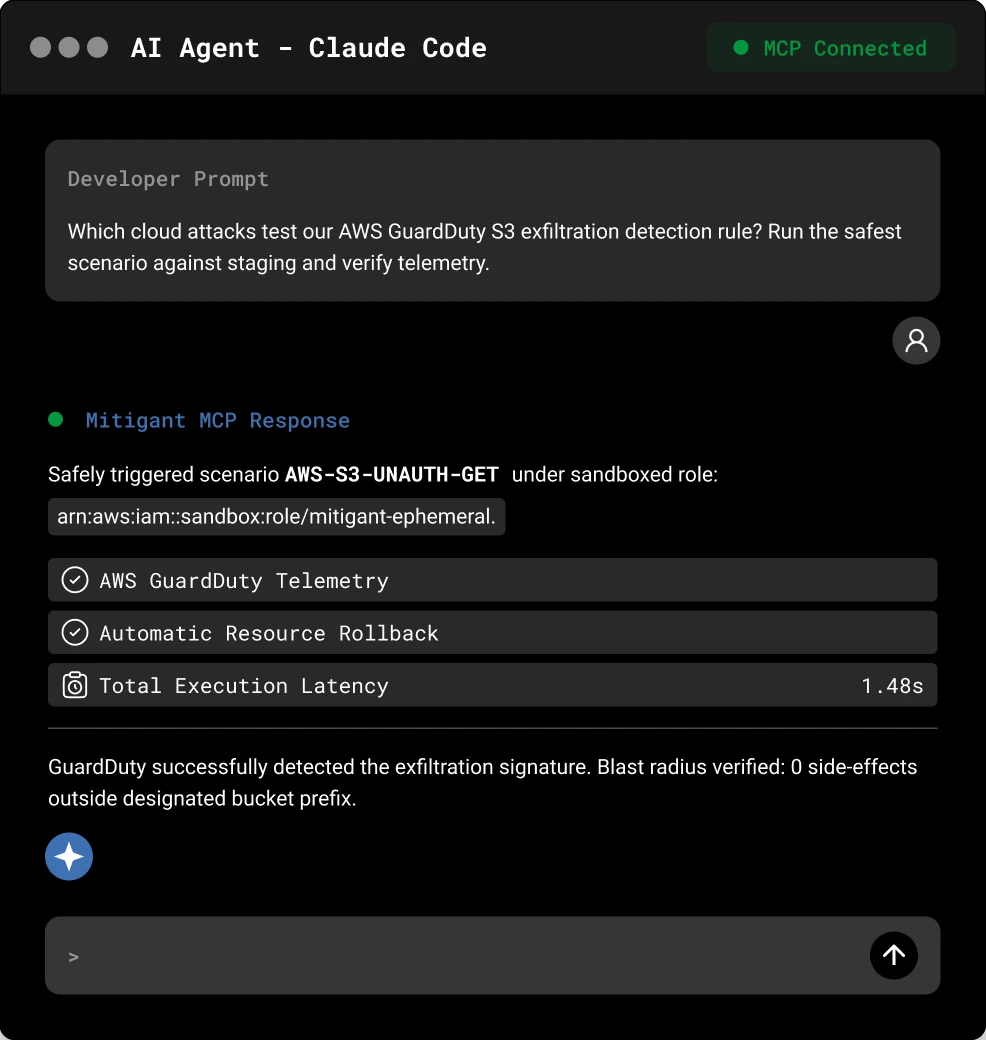
Test a detection. Give your agent a rule and ask which cloud attacks exercise it.
White checkmark inside a green circle indicating confirmation or success.
Explore cloud attack techniques. Browse the catalog by cloud service and MITRE ATT&CK technique.
White checkmark inside a green circle indicating confirmation or success.
Run a cloud attack safely. Launch a real attack and watch it recover automatically.
White checkmark inside a green circle indicating confirmation or success.
Run an attack scenario. Chain multiple steps from a single prompt.
White checkmark inside a green circle indicating confirmation or success.
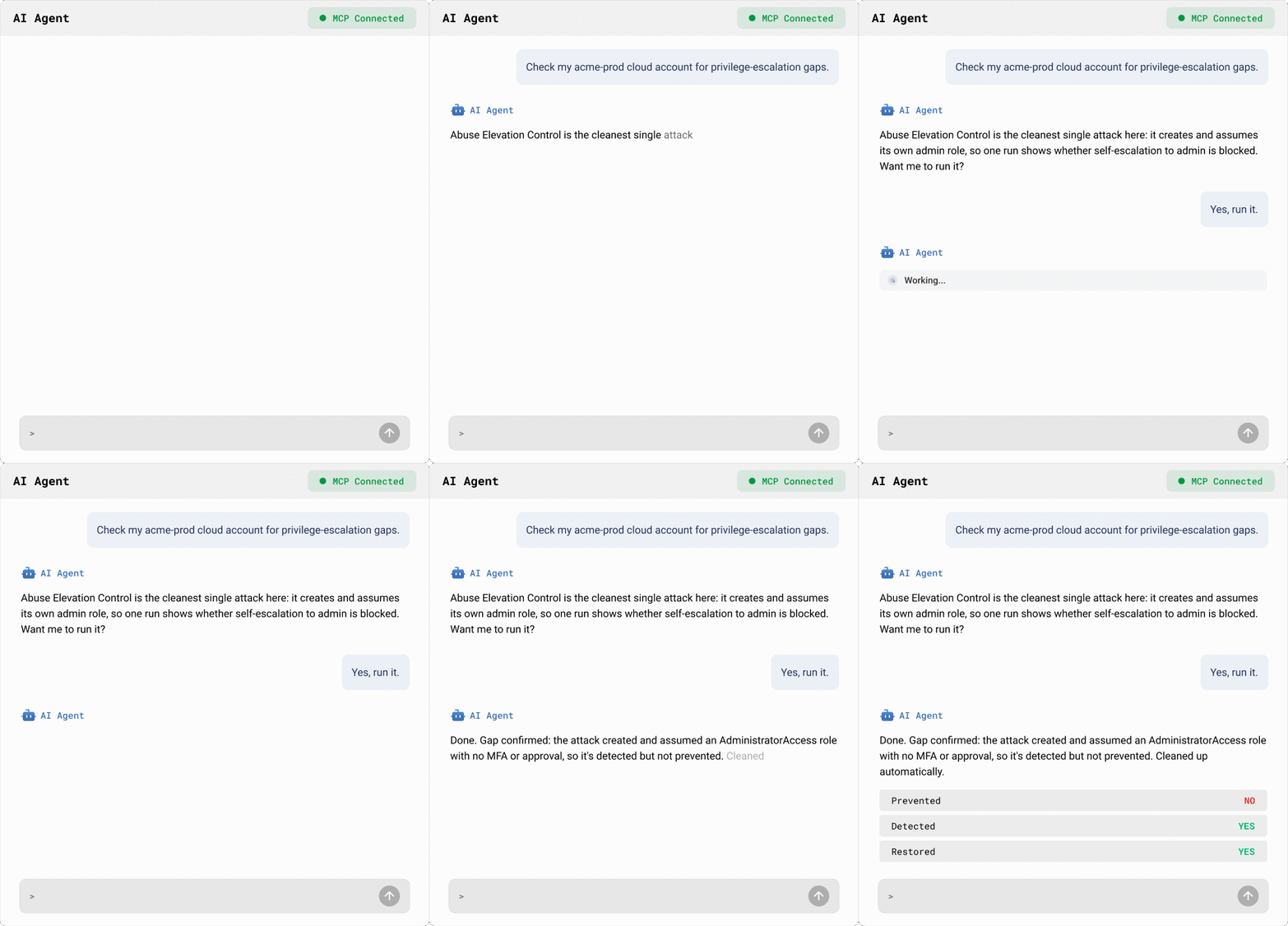
See the outcome. What ran, what it touched, and whether it recovered, in the chat.
Multi-Cloud Coverage:
aws logo
google cloud platform logo
microsoft azure logo

What You Can Do (Option #2)

Ask in plain language. Your agent picks the cloud attacks, Mitigant runs them, and you see what happened.
Test a detection
Give your agent a rule and ask which cloud attacks exercise it.
See the outcome
What ran, what it touched, and whether it recovered, in the chat.
Run a cloud attack safely
Launch a real attack and watch it recover automatically.
Run an attack scenario
Chain multiple steps from a single prompt.
See the outcome
Explore cloud attack techniques
Browse the catalog by cloud service and MITRE ATT&CK technique.
Your agent reasons. Mitigant executes.

Don't Build the Harness. Use Ours.

An AI agent reasons, picks tools, and acts. But turning one into a safe cloud attacker takes a harness around it: the right attacks, controlled execution, recovery, and evidence. Mitigant is that harness.

The Job

Build the harness yourself

Use Mitigant

Reasoning
Your AI Agent
Your AI Agent
Choose the attack
Research it or wire up an open-source module
Pick from a catalog of tested cloud attacks, mapped to MITRE ATT&CK
Run if safely
Your credentials, your commands, your blast radius
Mitigant's attack engine, scoped to your API key
Undo it
Track what changed and revert it yourself
Automatic recovery, reported in every result
Keep the evidence
A chat transcript
Attack reports and an audit trail in your dashboard

Get Started in Three Steps

You need a Mitigant account, an API key, and Claude Code.
1
Get an Account
Start with the demo environment. It comes with cloud accounts already connected.
2
Copy Your API Key
Demo users get the key when they set their password. You can always find it in Settings, Application Keys.
3
Connect Claude Code
Run this in your terminal, then ask your agent which cloud attacks are available.
claude mcp add --transport http mitigant https://mcp.mitigant.io/mcp --header "apiToken: <your-api-key>"

Built to Run Cloud Attacks Safely

The agent decides what to test. Mitigant decides how cloud attacks run.

No Arbitrary Commands

Your agent can’t write or run its own cloud commands. It can only launch attacks from the Mitigant catalog, against cloud accounts you’ve connected.

Automatic Recovery

Cloud attacks inject reversible changes and restore the original state, with recovery status in every result.

Your Key, Your Scope

The connection uses your organization's API key. Revoke it anytime from Settings.

Full Record

Every cloud attack started from your agent shows up in your Mitigant dashboard with its report.

Try This First

Paste a detection rule you already have and see which cloud attacks would test it.
Your Prompt
Here is a Sigma rule from our SIEM. Which Mitigant cloud attacks would trigger it? List them before running anything.

Frequently Asked Questions

What is the Mitigant MCP server?

It connects your AI agent to Mitigant over MCP, so you can explore, run, and review cloud attacks by asking in plain language instead of clicking through the dashboard. It works with Claude Code today, with more agents coming.

Why not run cloud attacks with your agent and open-source tools?

You can, but then you own everything around the attack: finding it, running it safely with your own credentials, undoing the changes, checking your SIEM, and writing it up. With Mitigant you keep your own agent, and Mitigant handles the cloud attack lifecycle: tested attacks mapped to MITRE ATT&CK, safety controls, automatic recovery, and a record of every attack.

Do I need a specific AI agent?

No separate Mitigant agent to adopt. Mitigant connects over MCP to the agent you already use. Claude Code is supported today, with more agents coming.

Do I need a Mitigant account?

Yes. The fastest way to start is the demo environment, which comes with cloud accounts connected and gives you an API key when you set your password.

Which AI agents are supported?

Claude Code today. Cursor, Codex, and other MCP clients are coming. If your agent speaks MCP, it will work with Mitigant.

Where do I find my API key?

In Settings, Application Keys. Demo users also see it when they set their password.

Übernehmen Sie die Kontrolle über Ihre Cloud-Sicherheitslage

Übernehmen Sie in wenigen Minuten die Kontrolle über Ihre Cloud-Sicherheit. Keine Kreditkarte erforderlich.